![frame_partymode-1.png]](https://support.giosg.com/hs-fs/hubfs/frame_partymode-1.png?height=40&name=frame_partymode-1.png)
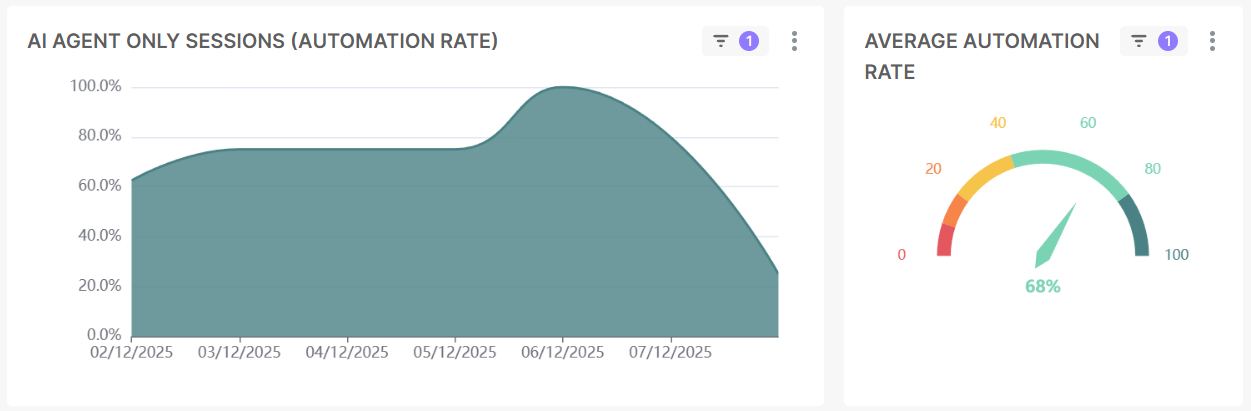
Automation rate: The percentage of chat sessions where customers resolved their questions without requiring a transfer to Human Agent. This value is represented in two ways:
- Trendline: Shows the daily automation rate for the selected time period.
- Average: Shows the average automation rate for the selected time period.
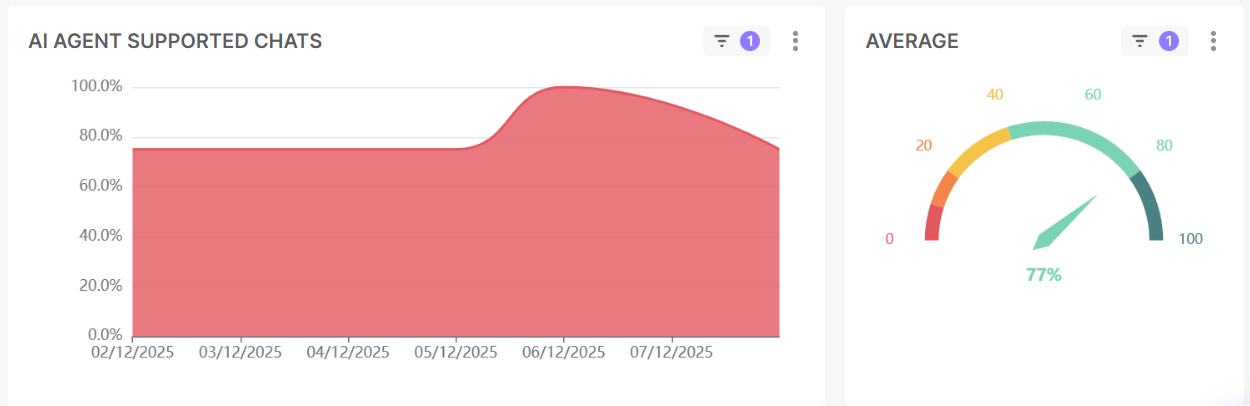
AI Agent-supported chats: The percentage of chat sessions where the AI Agent was involved in helping resolve customer inquiry. This value is represented in two ways:
- Trendline: Shows the daily AI Agent-supported chats for the selected time period.
- Average: Shows the average AI Agent-supported chats for the selected time period.
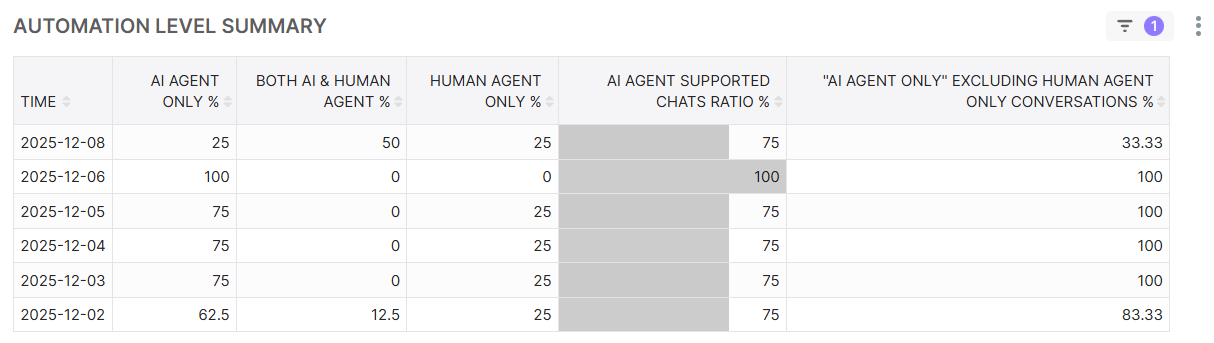
Automation level summary: A table displaying the break down of AI Agent usage organized in the following columns from left to right:
- AI Agent only: The percentage of chats handled solely by the AI Agent.
- AI Agent & Human Agent: The percentage of chats handled by the combination of AI Agent and Human Agent.
- Human Agent only: The percentage of chats handled solely by the agent.
- AI Agent supported chats: The sum of the AI Agent only & AI Agent & Human Agent percentages.
Chat session overview: A table displaying the break down of all chat sessions per day for the following metrics:
- Chats: The total number of chats had for a specific day.
- AI Agent-supported: The total number of chats where the AI Agent assisted in the conversation for a specific day.
- AI Agent only: The total number of chats where customers resolved their questions without requiring a transfer to agent for a specific day.
- AI & Human Agent: The total number of chats handled by the combination of AI Agent and Human Agent for a specific day.
- Human Agent Only: The total number of chats handled by the human agent alone for a specific day.

Want to get an overview of your chat channel as a whole? For that we recommend that you take a look at the Chat statistics report